
Download For the Wall – AI Art Generator, Custom Prints, Free Shipping
Overview
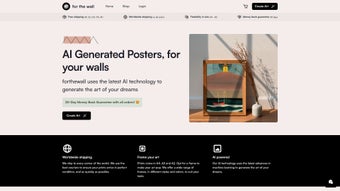
For the Wall is a cloud‑based AI art generator that transforms simple text prompts into museum‑quality wall art ready for print. The platform eliminates the need for Photoshop or Illustrator by letting anyone—whether a professional designer, a home‑decor enthusiast, or a casual creator—produce original images in dozens of distinct styles, from abstract expressionism to anime‑inspired illustrations, delicate watercolors, cyber‑punk neon, and vintage collage. After the AI renders a composition, users can choose a print size ranging from compact A4 up to large A2, add framing options such as minimalist matte borders, classic wood frames, or acrylic cases, and order the finished product with worldwide shipping.
The service backs every order with a 30‑day money‑back guarantee, providing a safety net for first‑time buyers. Although there is no free trial and the exact DPI per size is not listed on the landing page, the platform guarantees a minimum of 300 DPI, which satisfies most professional printing standards. The entire workflow—from idea generation to doorstep delivery—is designed to be frictionless, secure, and visually rewarding, making For the Wall a compelling option for anyone looking to personalize a living space or office with unique, AI‑crafted artwork.
Features, Installation & First‑Use Guide
Key Features
- AI‑driven image generation with over 20 curated artistic styles.
- Custom canvas sizes from A4 (21 × 29.7 cm) to A2 (42 × 59.4 cm) at 300 DPI minimum.
- Integrated framing marketplace offering wood, metal, acrylic, and matting options.
- Real‑time preview of framed artwork before purchase.
- Secure payment processing via credit cards, PayPal, Apple Pay, and Google Pay.
- Personal gallery to save and revisit generated artworks.
- Global shipping with tracking and protective packaging.
- 30‑day money‑back guarantee on all orders.
Installation & First‑Use Steps
Because For the Wall is a pure web service, there is no software download or installation required. All you need is a stable internet connection and a modern browser (Chrome, Firefox, Safari, or Edge). Follow these steps to start creating your own wall art:
- Create an account: Visit forthewall.ai, click “Sign Up,” enter your email, set a password, and confirm via the activation link.
- Select a style: From the dashboard, browse the style thumbnails and click one to see sample outputs and a brief description of the visual language.
- Enter a prompt: Type a natural‑language description of the scene you imagine, e.g., “Sunset over a lavender field in watercolor style.” The AI returns several variations within seconds.
- Refine the image: Use sliders for color intensity, brush‑stroke thickness, and abstraction level. Request additional variations if needed.
- Choose size & framing: Pick the desired print size, then explore framing options. Each frame shows a live preview on the canvas.
- Add to cart & checkout: Review your order, apply any promo code, and complete payment on the secure checkout page.
- Track delivery: After processing, you’ll receive a tracking number. Prints arrive rolled in sturdy tubes, ready for framing or hanging.
The entire process is intentionally streamlined so that users with no design background can produce professional‑looking art in under ten minutes. Because the heavy lifting is performed by the AI in the cloud, the local device’s hardware requirements are minimal, making the service equally usable on desktops, laptops, tablets, and smartphones.
Compatibility, Pros & Cons
Supported Platforms & System Requirements
For the Wall runs entirely in the browser, which means it is compatible with any operating system that can launch a modern web browser. Supported platforms include Windows 10/11, macOS Monterey and later, Linux distributions with Chrome or Firefox, Android 9+ devices, and iOS 13+ iPhones and iPads. The only technical requirement is a reliable internet connection of at least 2 Mbps to ensure smooth rendering of high‑resolution images. No plug‑ins, extensions, or local installations are needed, reducing security concerns and simplifying updates—new features are rolled out server‑side and become instantly available to all users.
Pros
- Creative freedom: Unlimited prompt variations and a wide style library let you generate truly original artwork.
- Zero hardware constraints: Works on any device with a web browser, from low‑end Android phones to high‑end MacBooks.
- All‑in‑one solution: Generation, framing, printing, and worldwide shipping are handled within a single platform.
- Secure checkout & guarantee: Multiple payment options and a 30‑day money‑back policy lower purchase risk.
- Fast turnaround: AI renders images in seconds; most orders ship within 3‑5 business days.
Cons
- Resolution details vague: The website does not list exact DPI per size, which may worry professional printers.
- No free trial: New users must purchase at least one print before experiencing the AI.
- Internet‑only access: Offline generation or editing is not possible.
- Costs can add up: Premium frames and larger formats increase the final price.
- AI‑driven creativity: Users seeking hand‑drawn precision may find the AI’s suggestions less controllable.
Frequently Asked Questions
How does the AI decide what the artwork looks like?
The model has been trained on millions of images across diverse artistic movements. When you submit a textual prompt, the algorithm extracts key concepts, matches them to style‑specific visual patterns, and synthesizes a unique composition that reflects both the content and the chosen style.
What print resolution will I receive?
All standard sizes (A4‑A2) are printed at a minimum of 300 DPI. The exact pixel dimensions scale with the chosen canvas size, ensuring sharp, high‑quality prints suitable for framing or large‑scale display.
Can I order a print without a frame?
Yes. After generating your artwork, select the “Unframed” option in the framing menu. The print will be rolled in a protective tube and shipped to you ready for local framing.
Is the service available in my country?
For the Wall ships to more than 120 countries. Shipping costs and estimated delivery times are calculated automatically at checkout based on your location.
What if I’m not satisfied with the final print?
The platform offers a 30‑day money‑back guarantee. If the print arrives damaged, colors are off, or the artwork simply doesn’t meet your expectations, you can contact support for a full refund or a replacement.
Conclusion – Why You Should Download For the Wall Today
For the Wall bridges the gap between imagination and tangible décor by delivering AI‑generated art that looks as if it were created by a professional illustrator. Its browser‑based nature removes hardware barriers, while the integrated framing marketplace and worldwide shipping turn a digital file into a ready‑to‑hang masterpiece within days. The service’s strengths—broad creative range, secure checkout, rapid rendering, and a solid satisfaction guarantee—outweigh the minor drawbacks of no free trial and the requirement for an internet connection. If you’re ready to personalize your space with unique, high‑quality prints without learning complex design software, click the “Download” button below, generate your first piece, and let For the Wall handle the rest.
For the Wall combines cutting‑edge AI with a seamless e‑commerce experience. The variety of styles and the quality of the printed output make it a standout choice for anyone wanting custom wall art without the traditional design hassle. While the lack of a free trial may deter the most cautious buyers, the 30‑day money‑back guarantee and transparent pricing provide enough reassurance to give it a try.
- Extensive style library
- Browser‑only access
- Integrated framing & shipping
- Secure payments
- Money‑back guarantee
- No free trial
- Resolution details not explicit
- Requires internet connection
- Higher cost for premium frames



.png)



